Automatic key detection
Each project gets an analyzed key (note and mode, with a confidence score). That reference is stored on the project: when you pick another key, the app computes the semitone offset from this detected root.
After your song is split into tracks, the editor can shift pitch to a new key: the service first analyzes the recording and stores a detected key, then retunes all stems together while keeping tempo steady.
Sign up, upload a track, and open it in the editor.
Each project gets an analyzed key (note and mode, with a confidence score). That reference is stored on the project: when you pick another key, the app computes the semitone offset from this detected root.
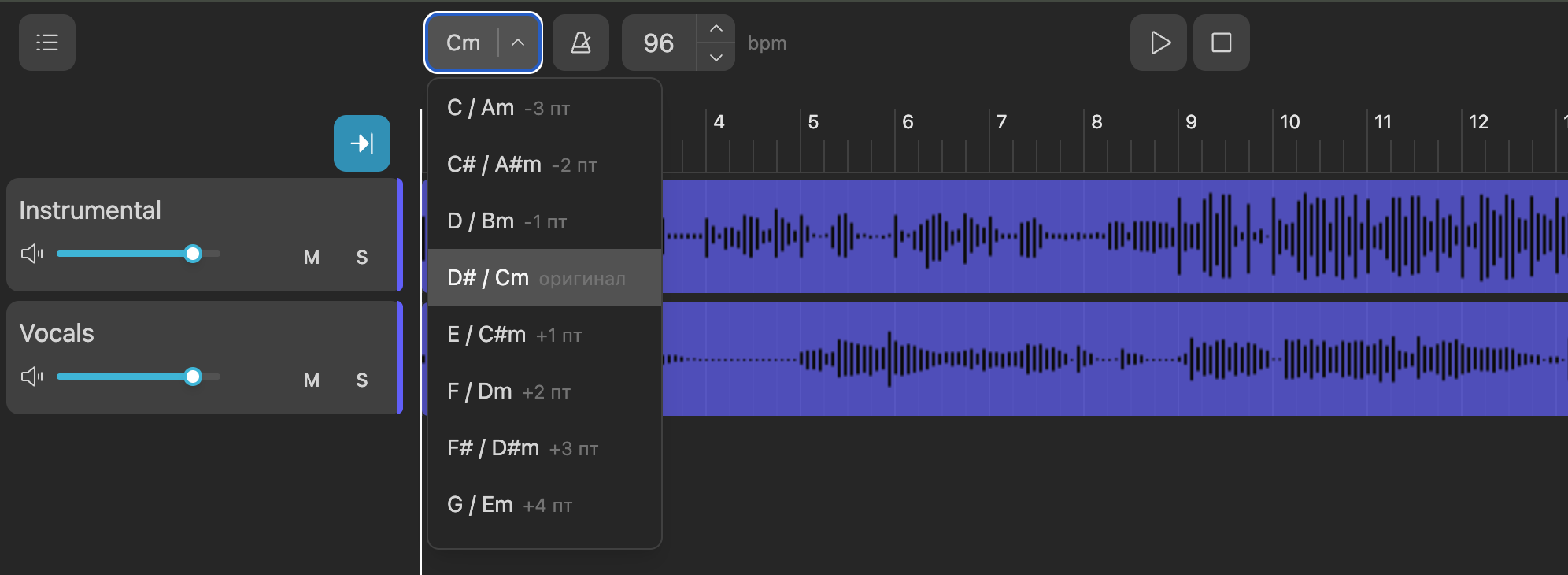
The key dropdown lists musical keys. Next to each option you see the semitone shift from the auto-detected key — “original” for no change, or values like +2 / −3 semitones. Major and minor are handled consistently, including relative key relationships.
When you change key, playback pauses and the same semitone shift is applied across every track so vocals and instruments stay locked — like one unified mix.
Processing uses an algorithm that adjusts pitch while keeping playback tempo stable. Results are cached for smooth scrubbing, and extreme shifts are clamped to a safe semitone range.
Sign up, upload a track, and open it in the editor.