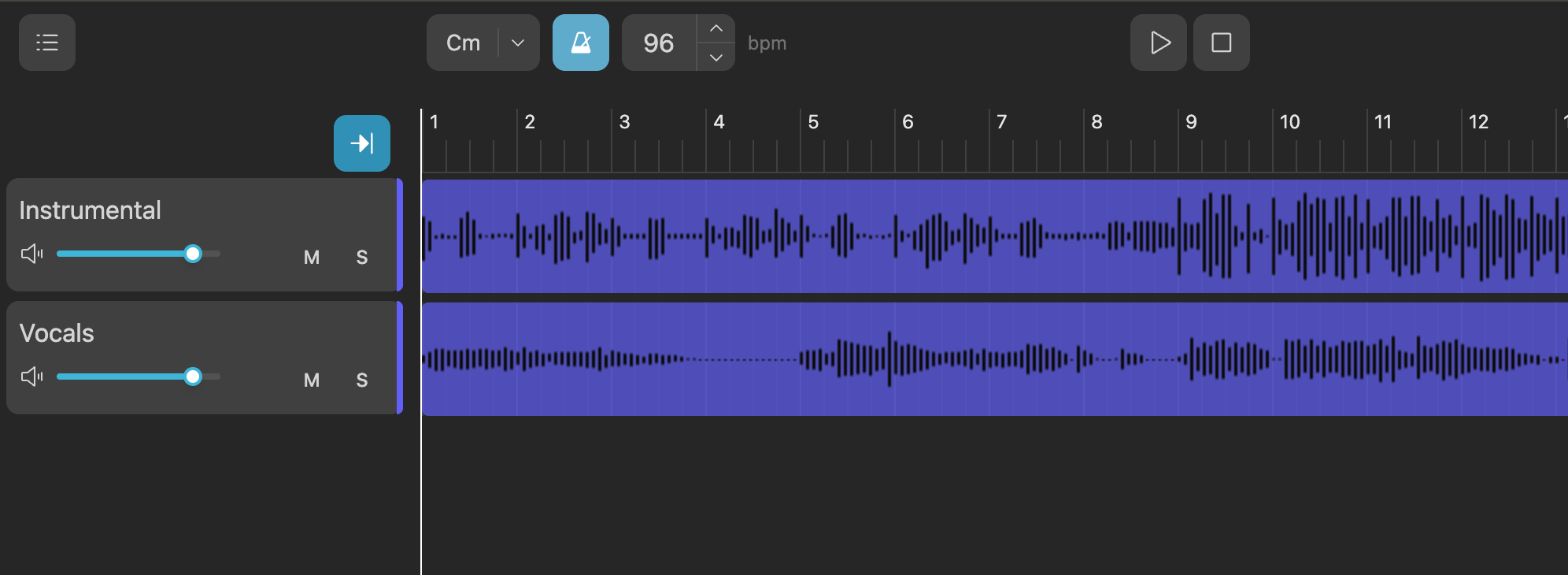
Automatic BPM detection
Your project can include an estimated tempo (BPM plus a confidence score). When you open that project, the editor applies it to the shared playback transport and the BPM field in the control bar — no manual guesswork to match the stems.
Clicks on every beat
The metronome is driven by the playback engine: beat one of each bar uses a stronger click, the other beats a quieter one. Events follow quarter notes and the current time signature (4/4 by default). Toggle the click with the metronome icon next to the BPM control.
One grid for ruler and clips
Bar numbers, playhead motion, and how samples sit on tracks all derive from the same BPM as the metronome. The timeline grid matches the click pattern so trimming and nudging to the grid feels consistent.
Manual tempo tweaks
You can edit the BPM value in the control bar. Changing tempo stops playback so the playhead does not drift against the updated grid; you continue editing in the new tempo.